
Overview
What this project was about
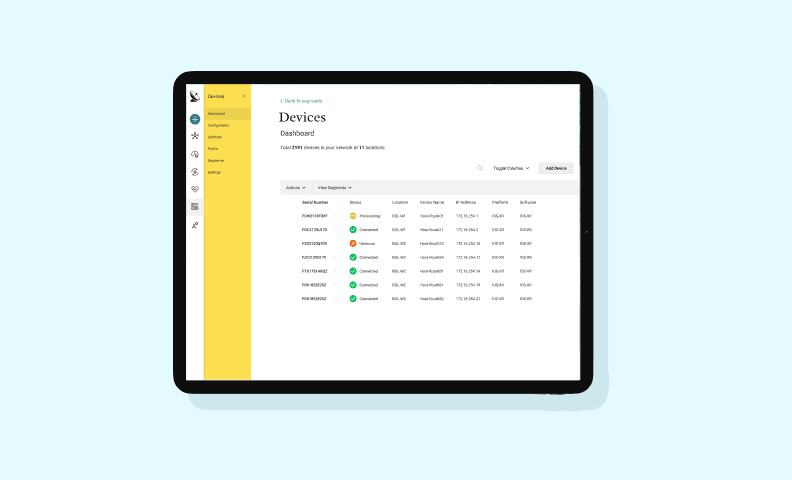
Cisco CrossWorks is a Traffic Engineering platform for ISPs and CSPs that monitors network traffic, predicts issues, and dynamically routes packets using MPLS technology. Device onboarding — the process of registering routers into the network manager — had become a major pain point, described universally as tedious. I owned the Device Inventory and Automation modules across two release cycles dedicated to solving this.
The Challenge
The Platform
CrossWorks comprises five modules: Traffic Engineering, Topology, Device Inventory, Security, and Automation. Onboarding a new router to the network manager is the entry point for everything else — if it's broken, nothing downstream works well.
Understanding the Problem
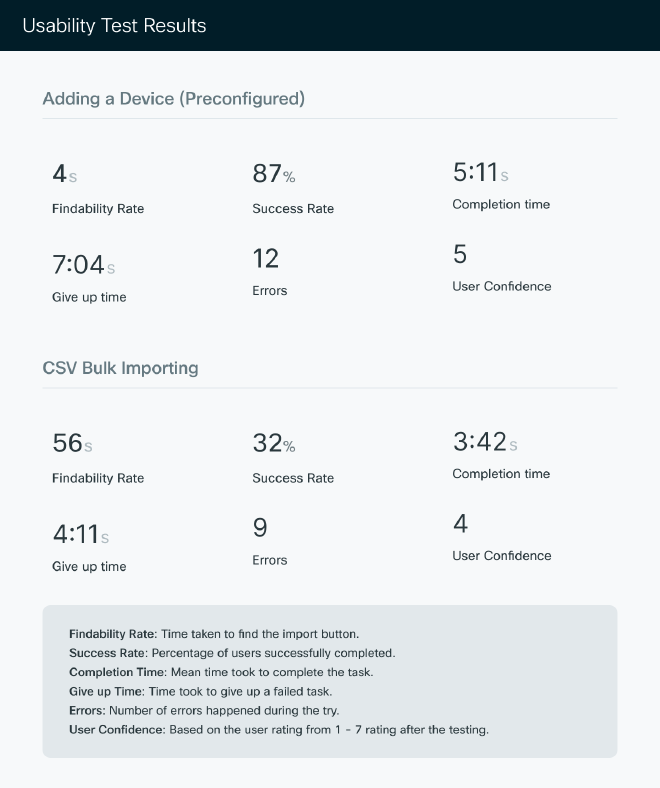
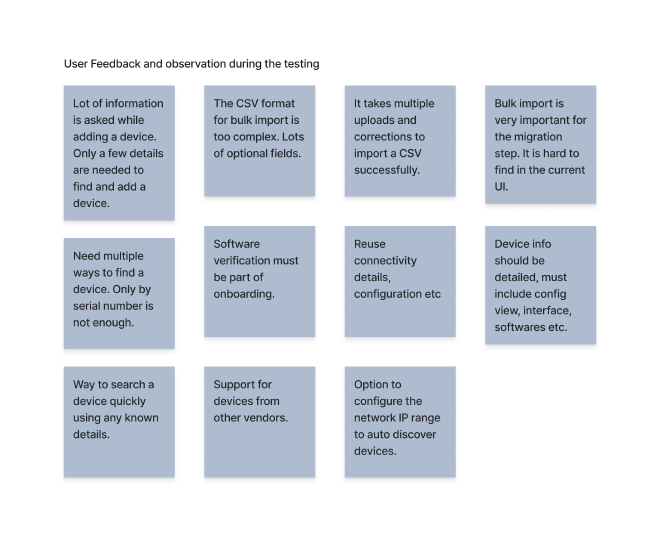
Onboarding a new router to CrossWorks should be routine. In practice, users were required to enter an excessive amount of information manually, with little guidance on what was actually needed versus what could be inferred. Credentials had to be re-entered for every device. Bulk uploads via CSV demanded 32 separate fields — most of which were optional or could be derived automatically. Errors during upload provided no inline feedback, requiring users to fix issues and re-upload from scratch.
Research Approach
We used a multi-method research approach. Unmoderated usability testing via Maze with first-time internal and external users across geographies gave us behavioural data at scale. Stakeholder interviews with PMs, TMEs, and field executives surfaced the business context and competitive pressure. Competitor analysis of Juniper Paragon and Zabbix revealed patterns that made onboarding significantly less painful elsewhere.
Competitive Analysis
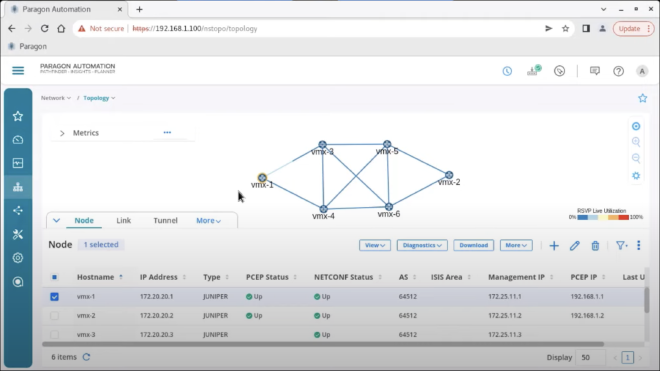
Juniper Paragon and Zabbix both offered onboarding experiences that required significantly less from users upfront. Side panels outperformed modal windows for navigation continuity, auto-discovery was a table-stakes differentiator, and minimising required fields dramatically improved adoption rates.
Design Solutions
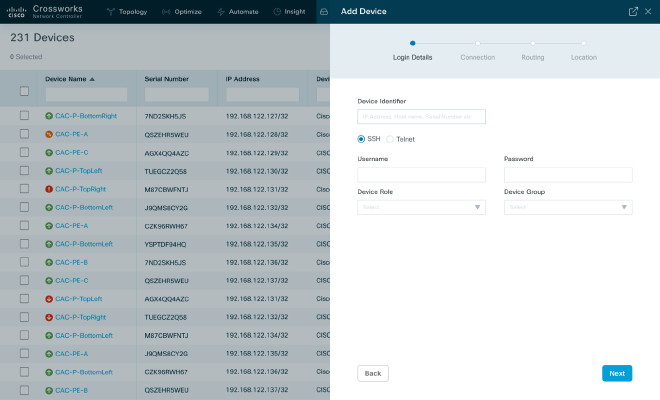
Simplified single-device add flow: Redesigned to accept just a device identifier — IP address or hostname — and auto-fetch available information. Users no longer needed to know or manually enter data the system could discover itself.
Bulk Upload: 32 Fields → 8
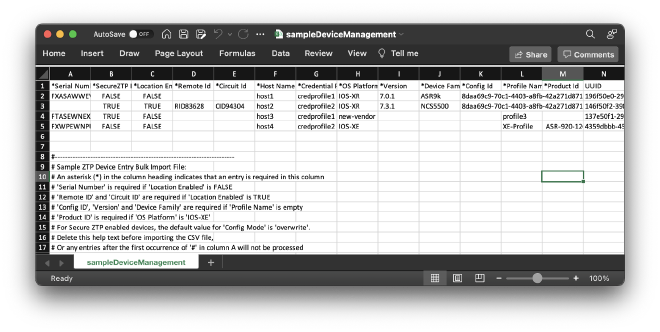
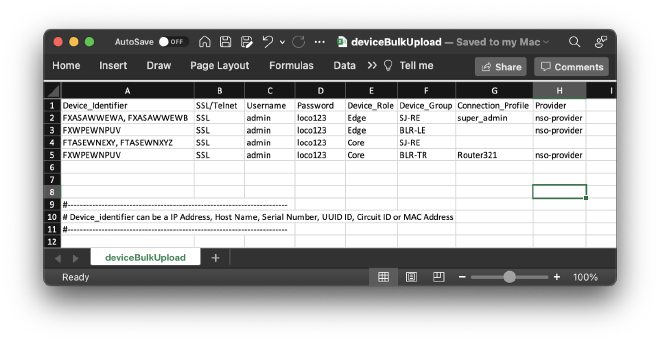
The CSV template was the single biggest barrier for bulk onboarding. Reducing from 32 to 8 required fields made the template approachable. Real-time verification with inline error correction replaced the upload-fail-fix-re-upload loop. Credential profiles let users define reusable credentials once, referencing them across hundreds of devices.
Enhanced Device Details & Auto-Discovery
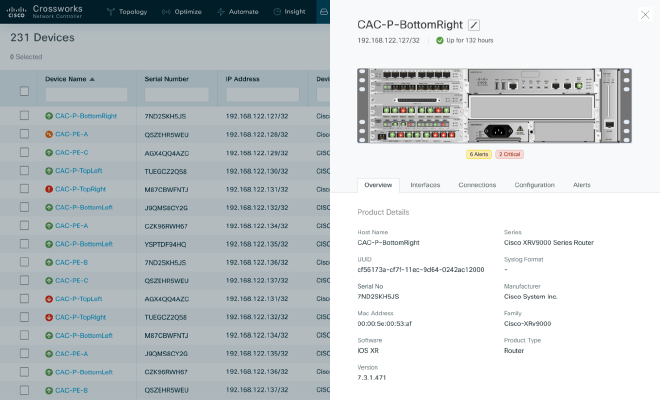
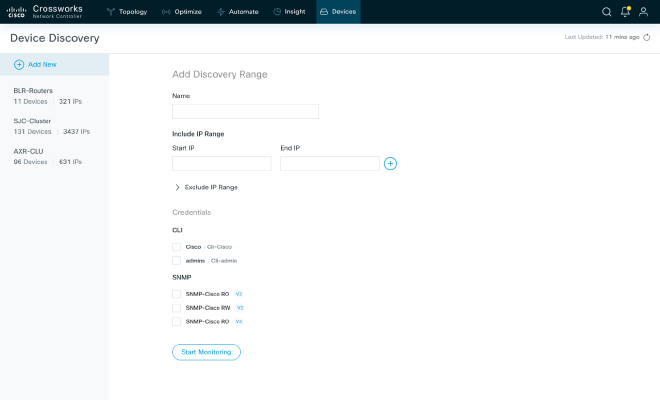
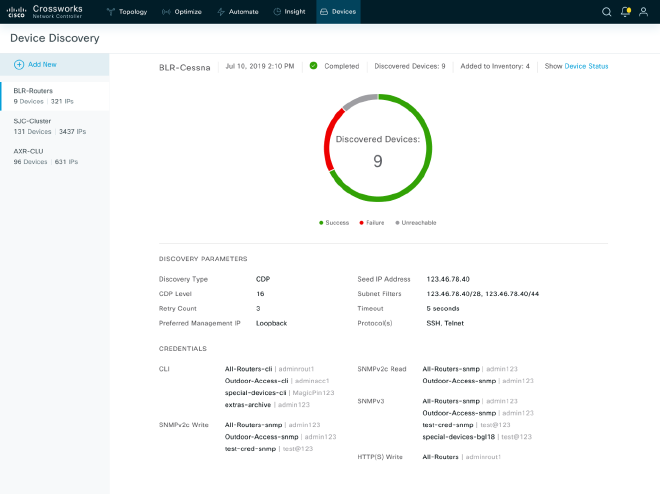
Device details were redesigned with visual port representation using chassis imagery, giving engineers a spatial orientation. Configuration backup and rollback capabilities were added. For auto-discovery, users set IP ranges for automatic device detection — closing the gap identified in competitor analysis.
“Onboarding a new router to a network manager is a tedious task.”
Results
Outcomes & Impact
Reflection
What I learned
Reducing CSV fields from 32 to 8 sounds like a metrics victory—and it was. But the real insight came from asking 'what can the system infer?' rather than 'what information do we need?' This reframing shifts from user burden to system intelligence. Competitor analysis before design saved months of exploration time; seeing how Juniper and Zabbix solved similar problems gave us confidence that auto-discovery and credential reuse weren't nice-to-haves but table stakes. Multi-method research (unmoderated testing + stakeholder interviews + competitive analysis) revealed more than any single approach could.
Interested in working together?
I'm available for freelance design work, consulting, and speaking opportunities.
Get in Touch